
How to File an NPCI Online Complaint for UPI Payment Failure in 2026
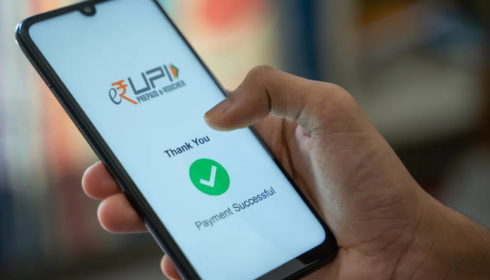
UPI (Unified Payments Interface) has transformed digital transactions in India, offering instant, real-time payments. But just like any digital service, it’s not immune to technical glitches. If your money is stuck or a transaction fails, the right course of action is to raise a npci online complaint. Here’s a detailed SEO-friendly guide to help you through the process in 2026.
Understanding NPCI and Its Role in UPI
The National Payments Corporation of India (NPCI) is the backbone of the UPI system. It manages the infrastructure that allows seamless money transfers between banks. When a UPI transaction fails and is not auto-refunded, NPCI plays a key role in investigating and resolving the issue.
Common UPI Payment Failure Scenarios
Before filing a complaint, understand these typical scenarios where users face trouble:
- Money debited but not credited to the receiver
- Failed transactions with no refund
- Technical timeouts or “Pending” status that lasts too long
- App crashes or system errors during payments
These issues can happen due to bank server downtime, app errors, or connectivity issues.
Step-by-Step Guide to File NPCI Online Complaint
Here is the process to raise a formal complaint with NPCI for failed UPI payments:
✅ Step 1: Contact Your Bank First
Always report the issue to your bank or payment app (like PhonePe, GPay, Paytm, BHIM) as the first step. Most UPI failures get auto-refunded within 24–48 hours. If the refund doesn’t come or support is unhelpful, proceed to file a complaint with NPCI.
✅ Step 2: Note Down Transaction Details
Keep these ready:
- UPI Transaction ID or UTR Number
- Date and time of transaction
- Mobile number linked to UPI
- Bank name and app used
This info will be required in the complaint form.
✅ Step 3: Visit NPCI’s Dispute Resolution Portal
Go to:
🔗 https://crcf.npci.org.in/
This is the official portal to raise grievances for UPI, RuPay, and other NPCI platforms.
✅ Step 4: Fill Out the Form
You’ll need to:
- Select product type (choose UPI)
- Enter your bank and payment app
- Describe the issue in detail
- Upload proof or screenshots if necessary
Once submitted, you’ll receive a complaint ID for tracking.
✅ Step 5: Track Your Complaint
You can revisit the portal and enter your complaint ID to track the status. NPCI usually resolves issues within 7-15 working days.
Pro Tips for Faster Resolutions
- Always raise your upi payment failed complaint with both the app and the bank first.
- Avoid raising duplicate complaints; it may slow down the process.
- Attach clear screenshots showing transaction ID, status, and time.
- Be patient but do follow up if it takes longer than 10 days.
Alternative Ways to Contact NPCI
- Email: contact@npci.org.in
- Twitter: @NPCI_NPCI (Use for public support escalation)
- Phone: Not publicly available for consumer support. Use the online form instead.
What to Do If the Complaint Is Still Not Resolved?
If NPCI does not resolve your issue satisfactorily, you can:
- Escalate the case with the RBI Ombudsman:
https://cms.rbi.org.in/ - File a complaint with your bank’s grievance officer.
- Send a legal notice or use consumer complaint portals like PGPortal or ConsumerHelpline.gov.in.
Final Thoughts
Digital payments make life easier — until something goes wrong. Thankfully, with a structured platform like NPCI’s complaint system, you have a formal way to recover failed transactions. Whether you’re a casual user or a business owner, knowing how to file an NPCI online complaint can save time, stress, and your money.